 ChatGPT
 Perplexity
 Claude
 Grok
GrokThe best headless CMS for SaaS blogs stores your content in one place and delivers it by API to your own website. It lets your marketing team write, review, optimize, and publish without waiting on developers. A good SaaS blog CMS also fits your custom frontend, supports SEO fields, and grows with your content team. ContioReach is a headless CMS built only for blogs. It gives you one content hub, API delivery to any frontend, and the tools your team needs to create, review, optimize, and publish. This guide shows you what to look for and how to choose.
What Is a Headless CMS for SaaS?
A headless CMS is a content management system that stores your content and delivers it through an API. It has no website attached. Your own frontend asks the API for the content and shows it the way you design it. SaaS teams use a headless CMS because their website is usually custom code, and the blog needs to fit it.
Think of the headless CMS architecture as two parts:
The back end: where your team writes, reviews, and stores content.
The front end: your website, which displays that content. "Headless" means you pick the head.
This setup fits SaaS companies for four reasons:
Your website is custom code, not a ready-made theme.
Your blog must match your brand and your product pages.
Your developers want to ship features, not edit blog posts.
Your content team wants to publish on its own schedule.
A traditional CMS ties the editor and the website together. That works for simple sites. It gets painful when your site is a custom app. A SaaS blog CMS built on the headless model solves this by keeping the two apart.
The 8-Point Checklist at a Glance
Use this table when you compare any SaaS blog CMS. The sections below explain each point.
# | What to look for | Who it helps | Question to ask the vendor |
|---|---|---|---|
1 | Publishing without developers | Content team | Can a writer publish a post alone? |
2 | Review and approval | Content team | Can an editor review a draft before it goes live? |
3 | Built-in SEO and AEO fields | Content team | Can I set meta tags, slugs, and FAQ content per post? |
4 | A blog-first editor | Content team | Does it have authors, categories, and tags out of the box? |
5 | A clean content API | Developers | Does the API return clear, predictable data? |
6 | Freedom to choose your frontend | Developers | Does it work with my custom SaaS website? |
7 | Room to grow | Both | Can I add writers, roles, and posts without a rebuild? |
8 | Easy to leave | Both | Can I export all my content in a usable format? |
What Should a SaaS Team Look for in a Blog CMS?
ChatGPT Image Oct 7, 2026, 04_55_09 PM.webp
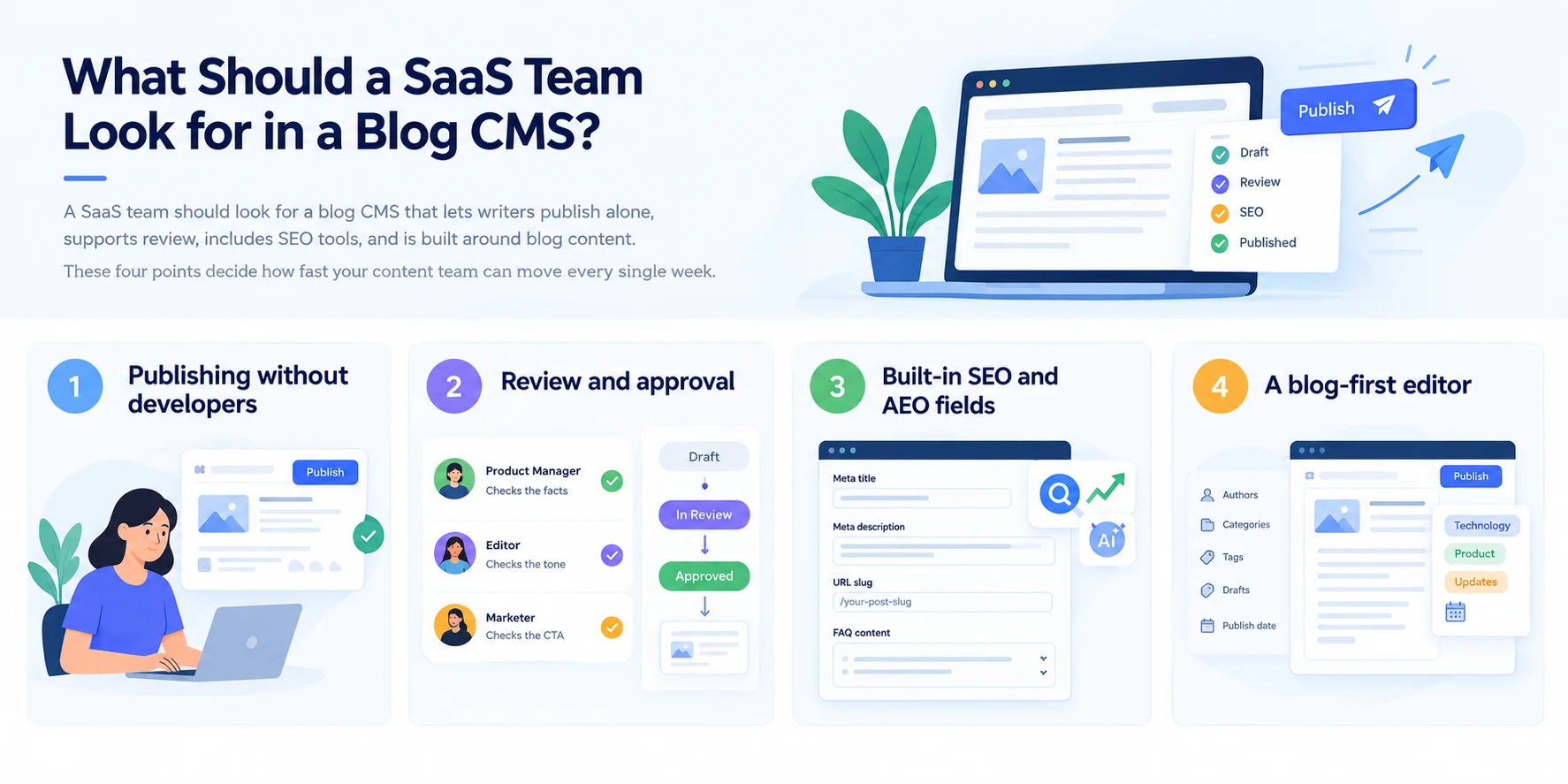
A SaaS team should look for a blog CMS that lets writers publish alone, supports review, includes SEO tools, and is built around blog content. These four points decide how fast your content team can move every single week.
1. Publishing without developers
Your content team should publish, edit, and fix posts without opening a ticket. This is the biggest reason SaaS teams move to a headless CMS. If every change needs a developer, your blog will slow down as it grows.
Test it during the demo. Ask a writer to create a post and publish it. Developers should only help with the first setup.
2. Review and approval
Your CMS should let an editor review a draft before it goes live. SaaS content often needs more than one set of eyes. A product manager checks the facts. An editor checks the tone. A marketer checks the call to action.
Look for clear draft states and a simple way to hand a post from writer to reviewer. Without this, reviews move to Slack and Google Docs, and posts get lost.
3. Built-in SEO and AEO fields
Your CMS should give every post dedicated fields for the SEO and AEO details that help you rank and get cited. That means a meta title, a meta description, a clean URL slug, and room for FAQ content.
Why does this matter? Search engines and AI answer tools read your page structure. When writers can set these details inside the editor, your posts ship ready to rank. Nobody has to ask a developer to add a tag later.
4. A blog-first editor
A CMS built for blogs gives you blog tools from day one: authors, categories, tags, drafts, and publish dates. A general-purpose CMS makes you build these yourself.
This is the main difference between a blog-first tool and a catch-all platform. Blog-first means less setup, fewer mistakes, and a cleaner editor for your writers. ContioReach follows this approach. It is a headless CMS built specifically for blogs, so your team gets one place to create, review, optimize, and publish.
Which CMS Works With a Custom SaaS Website?
A headless CMS works with any custom SaaS website, because it delivers content by API instead of through a fixed theme. Your developers should check four things before you sign up.
5. A clean content API
Your API should return clear, predictable data that your developers can use in minutes. Messy responses create extra code, and extra code creates bugs.
Ask your developers to make one test call during the trial. If they can pull a post into your site quickly, the API passes the first test. Also check that the docs are easy to read.
6. Freedom to choose your frontend
Your CMS should work with the frontend you already have, and the one you may build next year. Your SaaS site might run on Next.js today and something else in two years. A true headless CMS does not care.
This is where you find the best CMS for a SaaS blog. The right pick plugs into your stack. You never rebuild your website around the CMS. ContioReach delivers your content through an API to any frontend, so your site keeps its own design and code.
7. Room to grow
Your CMS should handle ten posts today and a thousand posts later. It should also handle one writer today and ten writers later.
Check how it manages multiple authors, roles, and a growing content library. Growing SaaS companies add guest writers, freelancers, and new product lines fast. A CMS that cannot keep up forces a painful move at the worst time.
8. Easy to leave
Your CMS should let you take your content with you. This sounds odd in a buying guide. It matters because your content is one of your biggest assets.
Ask how you can export your posts and what format you get. A headless CMS keeps content separate from design, so moving later is usually simpler. Confirm it before you commit.
Headless CMS vs Traditional CMS for a SaaS Blog
A headless CMS suits SaaS blogs better when your website is custom code, while a traditional CMS suits simple sites that use ready-made themes. Here is how they compare.
Area | Traditional CMS | Headless CMS |
|---|---|---|
How content reaches your site | Through the CMS's own theme and pages | Through an API to any frontend |
Fit with a custom SaaS website | Often needs workarounds | Built for it |
Frontend freedom | Limited by themes and plugins | Full control for your developers |
Who publishes | Content team | Content team |
Developer effort at setup | Lower | Higher, one time |
Developer effort day to day | Often higher for custom changes | Low once connected |
Best for | Simple sites and small blogs | Custom SaaS sites and growing blogs |
The trade-off is clear. A headless CMS asks for a little more developer work at the start. In return, your developers spend far less time on the blog after launch.
Why a Headless CMS Fits B2B SaaS and Growing SaaS Companies
A headless CMS for B2B SaaS fits because B2B buyers read many posts before they talk to sales, and your blog must keep up with that demand. Growing SaaS companies feel this pressure first.
Here is what changes as you grow:
More posts. You move from one post a month to one a week, then more.
More writers. Freelancers, product experts, and guest authors join your team.
More reviewers. Legal, product, and sales all want a look at certain posts.
More pages that must match your brand. Your blog, docs, and landing pages should feel like one site.
A headless CMS for growing SaaS companies handles this without a rebuild. Your frontend stays yours. Your content stays in one place. New writers join the editor, not the codebase.
There is a second benefit. B2B buyers read your content at every stage. Some read a beginner guide. Others read a comparison post. Others read a use-case page before booking a demo. When all of it lives in one content hub, you can reuse and update it with far less effort.
How to Build a SaaS Blog With a Headless CMS
You build a SaaS blog with a headless CMS in five steps: plan your content, connect the API to your site, set up your team, write with SEO in mind, and publish. Developers do the first connection once. Your content team does the rest.
Plan your content. Pick your blog categories, your authors, and the fields every post needs, such as title, summary, and meta description.
Connect the API to your site. Your developers connect the CMS to your custom website by calling the API from your frontend and displaying posts on your blog pages. This is the main developer task, and it happens once.
Set up your team. Add your writers and editors. Decide who can draft, who can review, and who can publish.
Write with SEO and AEO in mind. Fill in the meta title, meta description, and slug. Open each section with a direct answer. Add an FAQ at the end.
Review and publish. An editor checks the draft. Then your team publishes it. The API delivers the new post to your site.
After step 2, your developers can go back to the product. Your content team keeps the blog moving.
What Is the Best Headless CMS for SaaS Blogs? Where ContioReach Fits
The best headless CMS for SaaS blogs is the one that matches your team and your stack, and ContioReach is built for SaaS teams that want a blog-first tool. It is a headless CMS made only for blogs. You manage your content in one place and deliver it through an API to any frontend. Your content team gets what it needs to create, review, optimize, and publish.
Here is how ContioReach lines up with the checklist:
Checklist point | How ContioReach approaches it |
|---|---|
Publishing without developers | One content hub where your team creates and publishes |
Review and approval | Tools for your team to review content before it goes live |
SEO and AEO fields | Tools to optimize each post before you publish |
Blog-first editor | Built specifically for blogs |
Clean API and frontend freedom | Content delivered by API to any frontend |
Who ContioReach is for: SaaS teams with a custom website, a growing content team, and a blog that needs to scale.
Who it is not for: teams that want one tool to run their whole website, online store, and product docs. A blog-only CMS focuses on one job. If you need a single platform for everything, a general-purpose CMS may suit you better.
Be honest about your needs. Pick the tool that fits your work today and your plans for next year.
5 Mistakes SaaS Teams Make When Choosing a Blog CMS
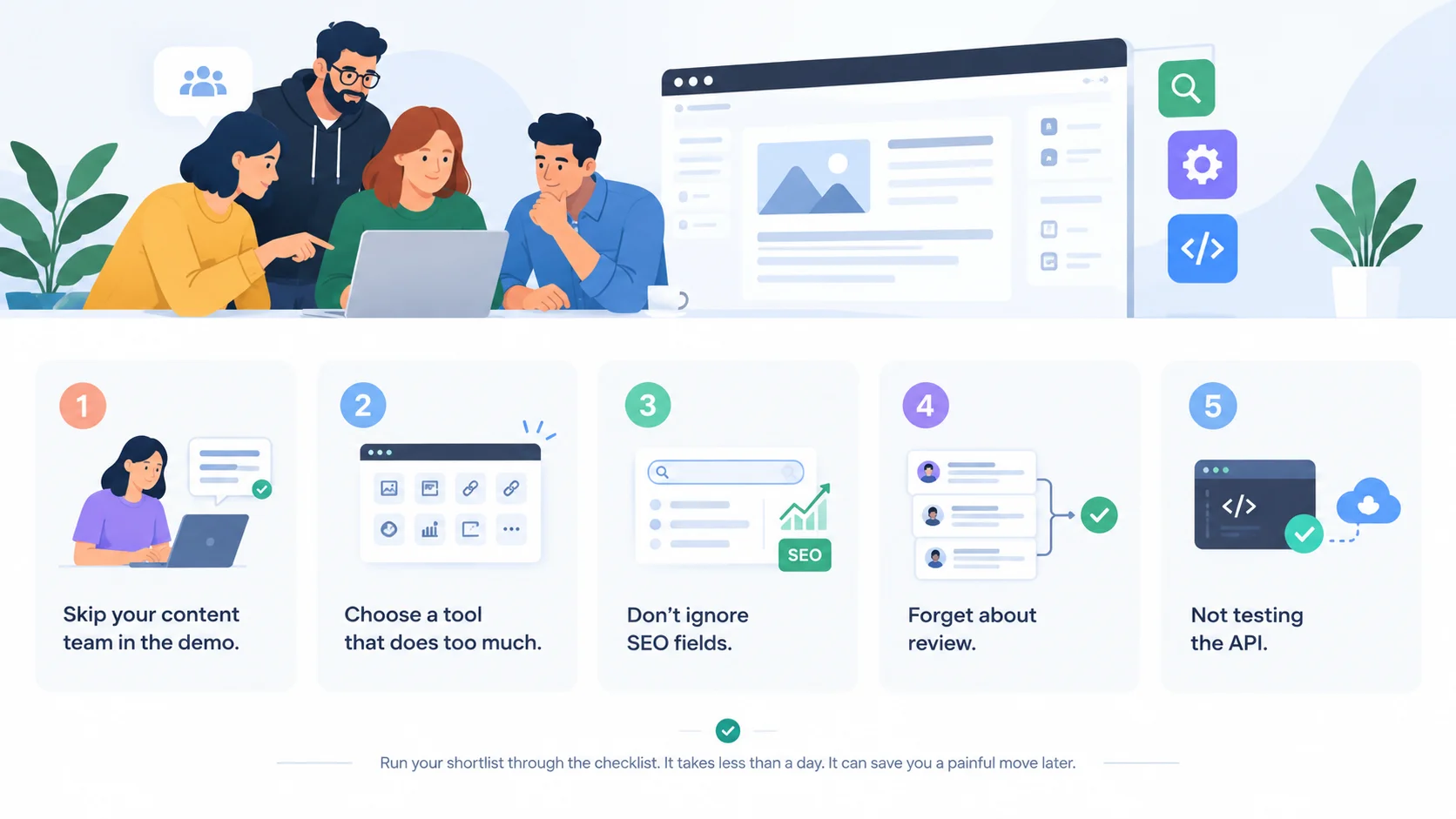
The most common mistake is choosing a CMS based on developer comfort alone and forgetting the people who use it every day. Avoid these five.
Skipping your content team in the demo. Your writers use the CMS most. Let them test it.
Choosing a tool that does too much. A platform with a hundred features can bury the five your blog needs.
Ignoring SEO fields. Adding them later costs time and developer help.
Forgetting about review. Without a clear approval step, drafts and edits pile up in chat.
Not testing the API. A one-hour trial test saves months of regret.
Run your shortlist through the checklist above. It takes less than a day. It can save you a painful move later.
Frequently Asked Questions
What is the best CMS for a SaaS company blog?
The best CMS for a SaaS company blog is a headless CMS that fits your custom website, lets writers publish without developers, and includes SEO tools. ContioReach is built for this job. It manages your content in one place and delivers it by API to any frontend. Compare any option against the eight-point checklist in this guide.
What should a SaaS team look for in a blog CMS?
A SaaS team should look for eight things: publishing without developers, review and approval, SEO and AEO fields, a blog-first editor, a clean API, frontend freedom, room to grow, and easy export. Your content team's needs come first, because writers use the tool every day. Developer needs come second, because they connect it once.
How can SaaS companies manage a blog without relying on developers?
SaaS companies can manage a blog without developers by using a headless CMS with a simple editor. Developers connect the CMS API to the website once. After that, your content team writes, reviews, and publishes alone. With ContioReach, your team creates, reviews, optimizes, and publishes from one place.
Which CMS works with a custom SaaS website?
A headless CMS works with a custom SaaS website because it delivers content by API instead of through a theme. Your developers fetch posts and show them in your own design. ContioReach delivers content through an API to any frontend, so your site keeps its own code and design.
Is a headless CMS good for SEO?
Yes, a headless CMS works well for SEO when your frontend renders pages that search engines can read. The CMS stores your content and meta fields. Your website displays them. Ask your developers to confirm that your blog pages load as readable HTML, and use a CMS with SEO fields for every post.
Do I need developers to use a headless CMS?
You need a developer for the first setup, but not for daily use. A developer connects the CMS API to your website once. After that, your content team handles writing, review, and publishing on its own, without opening a ticket.
How much does a headless CMS for SaaS cost?
Pricing differs by vendor, so check each vendor's pricing page. Compare plans by the number of users, the amount of content, and any API limits. Ask whether you can test the CMS before you pay. For ContioReach plans, visit the ContioReach pricing page.
Is ContioReach a good fit for B2B SaaS?
ContioReach fits B2B SaaS teams that want a blog-first headless CMS. It gives your team one content hub, API delivery to any frontend, and tools to create, review, optimize, and publish. If you need one platform for your whole site and store, compare it with a general-purpose CMS as well.
Give Your Content Team Its Own Lane
The right headless CMS for SaaS lets your team publish without developers and delivers content by API to your own website.
Look for publishing without tickets, review steps, SEO and AEO fields, a blog-first editor, a clean API, frontend freedom, room to grow, and an easy exit. Test each one with your writers and your developers before you decide.
Ready to see it in action? Explore ContioReach, the headless CMS built for SaaS blogs, and give your content team one place to create, review, optimize, and publish.
Written by

Hira Fayyaz
Hira Fayyaz is a SaaS content strategist and writer specializing in SEO, product-led content, and AI search visibility. She works around SaaS growth and product marketing, developing content strategies that help technology brands build authority and reach high-intent audiences.