 ChatGPT
 Perplexity
 Claude
 Grok
GrokMost blog posts get written once, published once, and then forgotten. That is a lot of effort left on the table for a founder who does not have time to write something new every day. A single well built post already contains most of the raw material needed for a full week of content elsewhere.
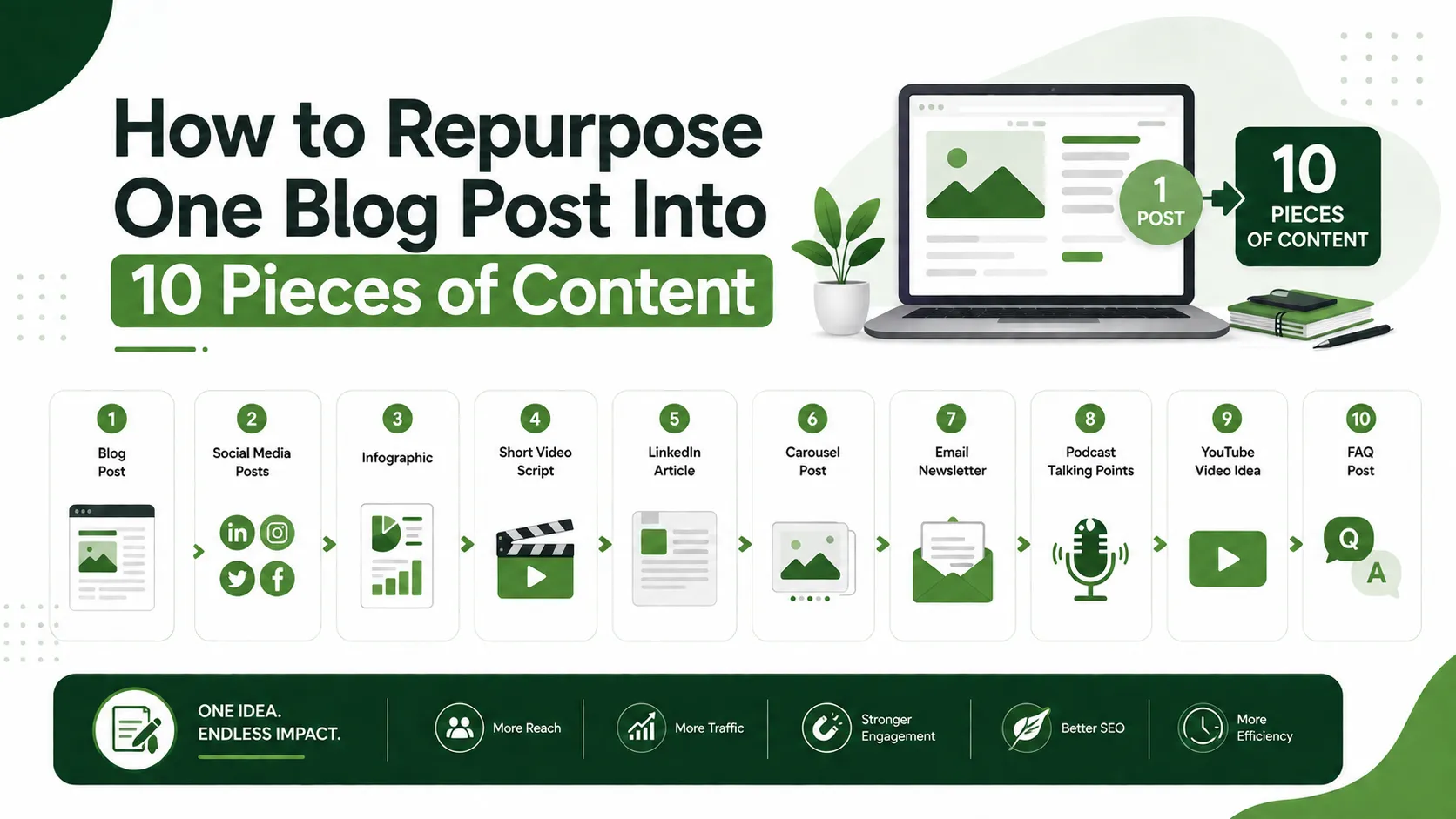
This guide shows how to repurpose blog content into ten distinct pieces, covering LinkedIn, email, short video, and more, without spending hours rewriting from scratch. It also covers where the process usually breaks down and how the right tools turn one repurposing session into a week of scheduled content.
Why Repurposing Blog Content Works
Writing a blog post takes research, structure, and a fair amount of editing. Once that work is done, the ideas inside the post do not disappear after publishing, they just need to be reshaped for a different format and a different audience. A reader scrolling LinkedIn is looking for something different than someone reading a full article, even if the underlying idea is identical.
This is what makes repurposing efficient rather than lazy. The thinking has already happened. What is left is reformatting, trimming, and adjusting tone for the platform, which takes a fraction of the time that writing something new from scratch would take.
The gap most guides leave out
Plenty of advice exists on turning a blog post into a few social posts, but most of it stops at two or three formats and rarely addresses how to keep the repurposed pieces linked back to the original post for SEO benefit, or how to track whether the repurposed content is actually pulling traffic back to the site. Repurposing without a link back to the source content builds audience engagement on other platforms, but it does very little for the website's own search visibility. A complete workflow needs to close that loop, not just multiply the content.
Ten Ways to Repurpose One Blog Post
Below are ten formats that can come from a single blog post, roughly in order of how quickly each one can be produced.
1. LinkedIn carousel. Break the post into five to seven slides, each covering one key point or step. This format tends to perform well for how-to content specifically, since it mirrors the structure of a guide.
2. Twitter or X thread. Turn each major section into a short, punchy tweet. The thread should stand on its own without requiring the reader to click through, with a link to the full post at the end for anyone who wants more detail.
3. Instagram carousel. Similar to the LinkedIn version but with more visual design and shorter text per slide, since Instagram audiences skim faster than LinkedIn audiences.
4. Short video script. Pull the core argument of the post into a sixty to ninety second script for a short form video. One key point per video works better than trying to cover the whole post.
5. Email newsletter segment. Summarize the post in three or four sentences with a link to read more. This works well as a recurring newsletter section rather than a one-off send.
6. Infographic. Take any list, process, or comparison from the post and turn it into a single visual. Numbered steps and comparison points translate especially well into this format.
7. Podcast or voice note talking points. If audio content is part of the mix, the post's structure becomes a ready-made outline for a short recorded segment, saving the prep work that usually goes into planning talking points.
8. Quora or community forum answer. Many blog posts already answer a specific question someone is likely to ask in a forum. Adapting the post into a direct, conversational answer with a link back to the full piece works well for driving qualified traffic.
9. Slide deck for a webinar or client call. Longer posts, especially guides, translate naturally into a presentation structure, saving time when a founder needs to explain the same topic out loud.
10. Follow-up post or FAQ addition. Reader questions and comments on the original post often surface angles that were not covered the first time. These make natural material for a shorter follow-up post or an added FAQ section, and linking the two together strengthens both.
A Repurposing Workflow That Actually Gets Used
Knowing the ten formats is one thing, actually turning them around every week is another. The workflow below keeps repurposing from becoming its own time consuming project.
Step 1: Pick the highest performing post first. Repurposing older content that is already ranking well or has driven strong engagement is a better use of time than repurposing something untested. ContioReach's SEO Score and AI Citability Score make it easy to see which existing posts are already performing well and worth building on.
Step 2: Extract the outline, not the full text. Go back to the post's original structure, headers, steps, or key points, and use that as the skeleton for each new piece rather than starting from the full paragraphs. This is faster and produces content that feels native to the new platform instead of copied and shortened.
Step 3: Match tone to platform without losing brand voice. A LinkedIn carousel should sound a little different from an email newsletter, but both should still sound like the same business wrote them. ContioReach's Brand Voice feature helps hold that consistency across formats without needing a separate style guide for every channel.
Step 4: Link every repurposed piece back to the source post. Every social post, email, or forum answer should include a link back to the original article. This is the step most repurposing workflows skip, and it is the one that actually feeds SEO value back into the site rather than just building an audience on someone else's platform.
Step 5: Schedule instead of posting in bursts. Repurposed content works best spread out over a week or two rather than published all at once, since it gives each format room to be seen without competing with the others. ContioReach's Auto-Publish feature lets a founder queue an entire batch of repurposed content ahead of time, so a busy week does not mean a quiet one.
Step 6: Track which formats bring readers back to the site. Not every repurposed format will perform equally. Keeping a simple record of which formats drive clicks back to the blog helps prioritize where future repurposing time goes.
Where Each Format Fits Best
The table below breaks down where each of the ten formats fits, how long it typically takes to produce once the source post exists, and how directly it can link back to the original content.
Format | Best Platform | Typical Time to Produce | Links Back to Source |
LinkedIn carousel | Low | Yes, in caption | |
Twitter or X thread | X | Low | Yes, final post |
Instagram carousel | Low to medium | Yes, in caption or bio link | |
Short video script | TikTok, Reels, Shorts | Medium | Yes, in caption or comment |
Email newsletter segment | Low | Yes, direct link | |
Infographic | Pinterest, blog embed | Medium | Yes, embedded in post |
Podcast talking points | Podcast, voice notes | Medium | Yes, in show notes |
Quora or forum answer | Quora, Reddit, forums | Low | Yes, direct link |
Slide deck | Webinars, client calls | Medium to high | Optional |
Follow-up post or FAQ | Blog | Medium | Yes, internal link |
Measuring Whether Repurposing Is Actually Working
Repurposing content is only worth the time if it is bringing something back to the business, whether that is traffic, engagement, or new leads. The table below outlines what to track and how often.
Metric | What It Tells You | How Often to Check |
Click-throughs to source post | Whether repurposed content is driving traffic back | Monthly |
Engagement per platform | Which formats resonate with which audience | Monthly |
New subscribers or followers | Whether repurposing is growing owned audiences | Monthly |
Ranking changes on source post | Whether repurposing is supporting the original post's SEO | Quarterly |
Tracking these consistently, rather than just producing content for the sake of staying active, is what separates repurposing that supports the business from repurposing that is just busywork.
Common Repurposing Mistakes to Avoid
Copying and pasting instead of reformatting. A paragraph pasted directly into a LinkedIn post rarely reads well there. Each format has its own rhythm, and skipping the reformatting step is usually obvious to the reader.
Repurposing everything from one post at once. Publishing five different formats from the same post on the same day dilutes each one. Spreading them out gives every piece its own moment.
Forgetting the link back to the source. Without a consistent link back, repurposed content builds an audience elsewhere but does very little for the website itself.
Repurposing weak posts instead of strong ones. Time spent repurposing a post that never performed well in the first place is time better spent elsewhere. Start with what is already working.
Getting Started
Repurposing one blog post into ten pieces of content is one of the most efficient ways to stretch a limited content budget, provided the workflow stays disciplined about linking back to the source and matching tone to each platform. It turns a single afternoon of writing into two weeks of content across channels.
ContioReach brings SEO scoring, AI citability tracking, brand voice consistency, and auto-publishing together in one place, making it easier to spot which posts are worth repurposing and to keep the resulting content consistent and scheduled. Try ContioReach to turn your next blog post into a full week of content without the extra hours.
FAQ
How many pieces of content can one blog post realistically produce?
Around eight to ten formats is realistic for most how-to or list style posts, though shorter posts may support fewer.
Does repurposing content hurt SEO through duplicate content?
No, since repurposed formats live on different platforms with different structures, not as copies of the blog post itself.
How long should repurposing one post take?
With a clear outline to work from, most founders can repurpose a post into several formats in under two hours.
Should every repurposed piece link back to the original post?
Yes, this is what feeds traffic and SEO value back into the website rather than just building engagement elsewhere.
What is the best format to start with when repurposing?
A LinkedIn carousel or a short thread, since both are quick to produce and tend to have strong share potential.
Written by

Team Contioreach
Creates expert content on SEO, AI search, content strategy, and automation to help businesses grow their online visibility.