 ChatGPT
 Perplexity
 Claude
 Grok
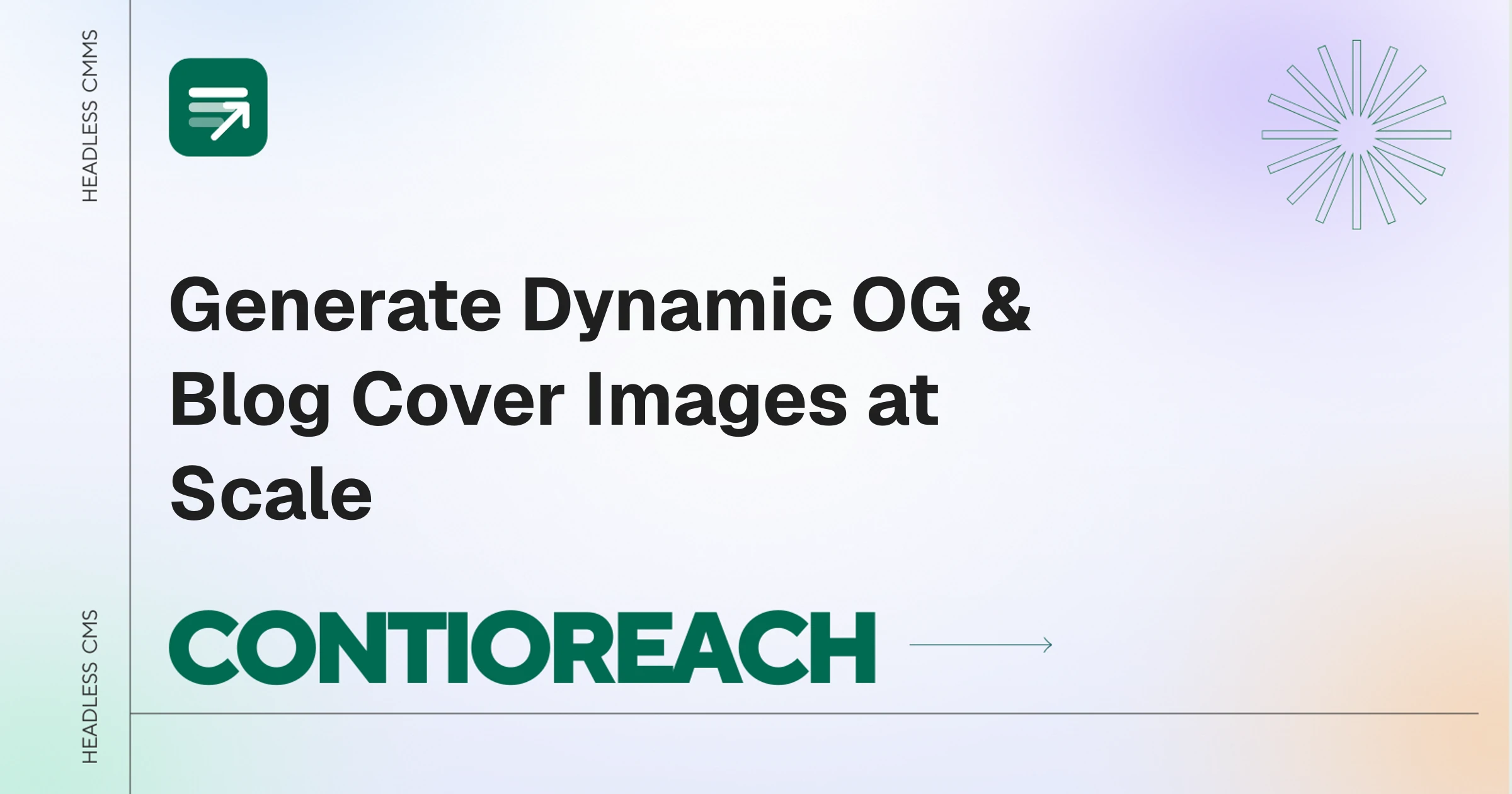
GrokAutomatically generating Open Graph and blog cover images means using a tool that pulls your brand assets (logo, colors, typography) and renders a sized, on-brand social card every time you publish, instead of designing one manually or maintaining custom image-rendering code. A properly sized 1200×630 cover with clear typography and consistent branding drives noticeably higher click-through rates than a generic placeholder. ContioReach handles this natively inside its editor, generating a branded cover the moment a post is created and updating it automatically if the title changes.
Why Cover Images Become a Bottleneck at Scale
Every blog post shared on LinkedIn, X, or Slack gets judged by its preview image before anyone reads a word. Two paths exist today, and both create friction once a team is publishing regularly.
Manual design: Writers open Figma or Canva, adjust the title text, drag in a logo, and export a PNG. That's 15 to 20 minutes per article, and the result varies depending on who made it, since font choices and spacing drift from post to post.
Custom rendering code: Developers build an image-generation endpoint using a library like @vercel/og, which renders HTML and CSS into a PNG at request time:
Typescript
import { ImageResponse } from 'next/og';

export const runtime = 'edge';

export async function GET(request: Request) {
  const { searchParams } = new URL(request.url);
  const title = searchParams.get('title') || 'Default Title';

  return new ImageResponse(
    (
      <div style={{ display: 'flex', background: '#4F46E5', width: '100%', height: '100%', padding: '40px' }}>
        <h1 style={{ color: '#FFF', fontSize: '60px' }}>{title}</h1>
      </div>
    ),
    { width: 1200, height: 630 }
  );
}
This works for a flat text overlay, but breaks down fast in production. The rendering engine behind these tools only supports a subset of Flexbox and CSS, so gradients, shadows, and complex layouts frequently fail to render. Custom fonts have to be fetched as raw byte arrays inside the edge function, which adds latency and occasional failures. And once it's built, only an engineer can change it. If a marketer wants a different font size or logo placement, that's a code change and a redeploy.
What a Cover Image Engine Needs to Do Instead
To remove this bottleneck, a cover generator needs four things:
Brand asset understanding — pull the site's logo, domain, and color palette automatically so every cover matches the brand without manual input.
A live visual editor — writers see the headline, subtitle, and background update in real time, not after a build step.
No-code customization — non-technical team members pick a starting design and adjust spacing or colors directly in the browser.
API delivery — the finished image is available at a fixed URL, sized at 1200×630, ready to drop into meta tags.
How to Generate Cover Images Automatically in ContioReach
ContioReach builds this directly into the CMS as a Cover Templates workspace rather than a separate design tool.
1. Start from the Cover Templates dashboard:
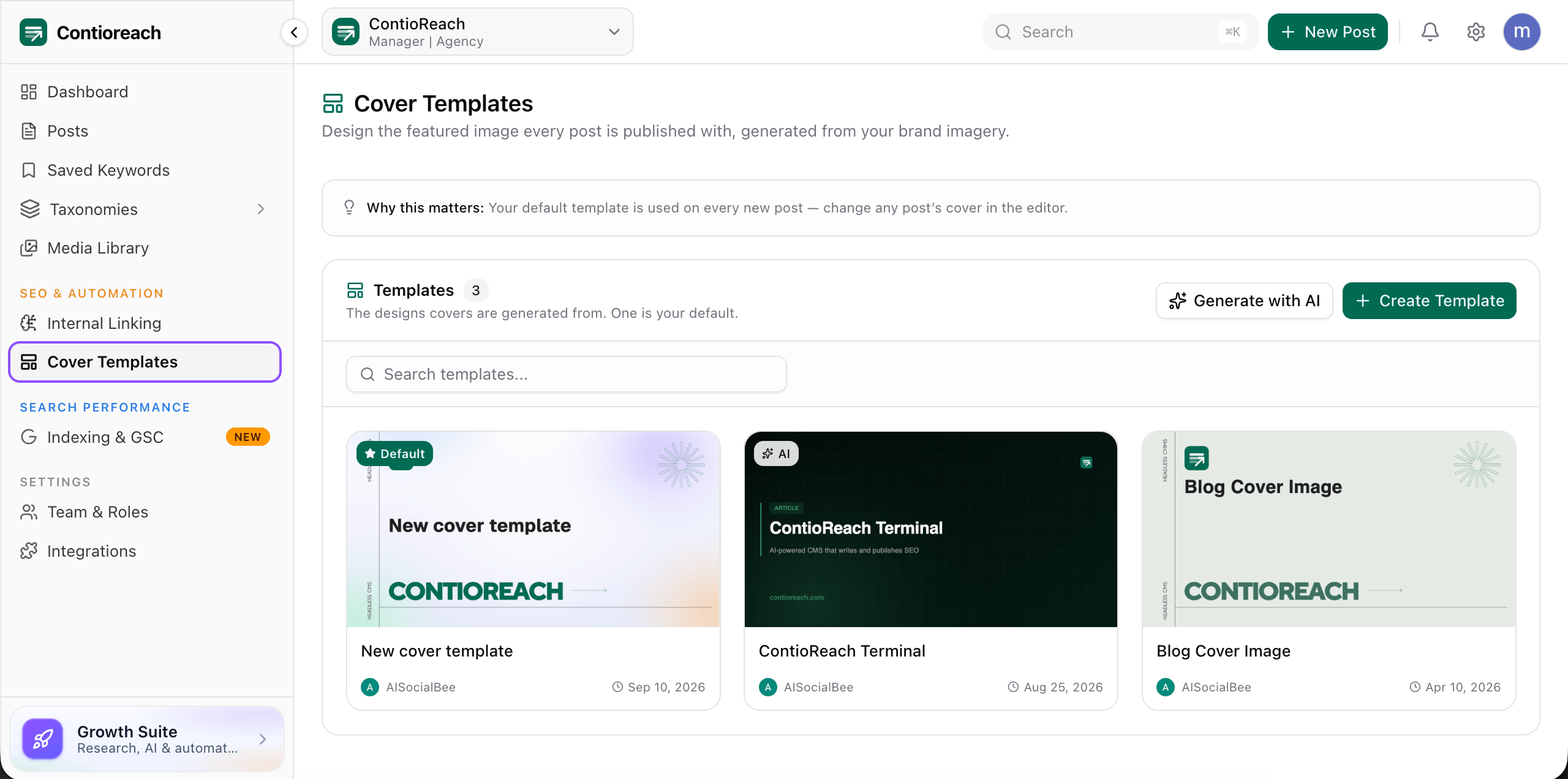
Under SEO & Automation in the sidebar, the Cover Templates page shows every template your team has created, with one marked as the default. That default template is applied automatically to every new post, so nobody has to remember to add a cover.
2. Generate a starting point from your brand:
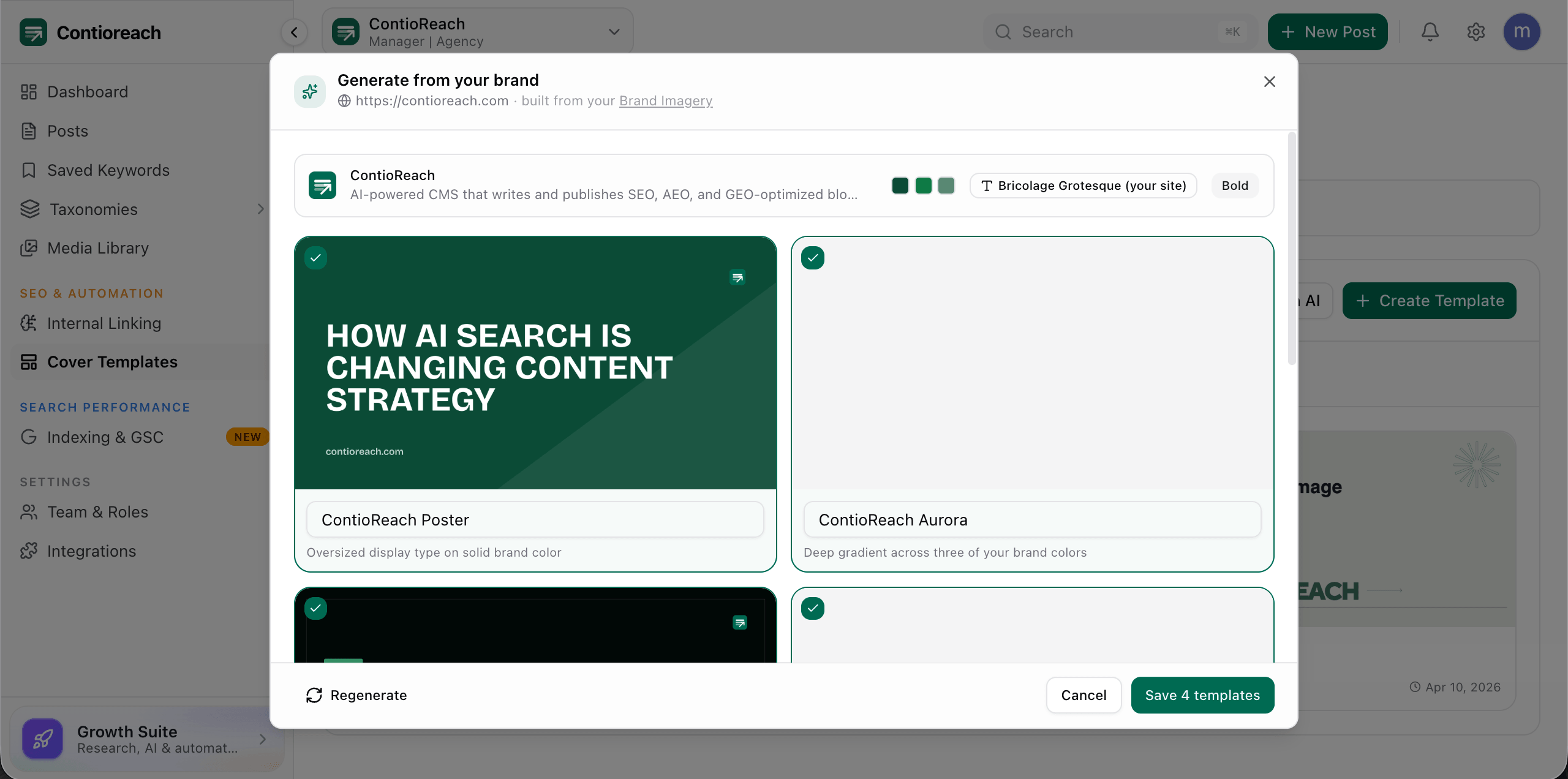
Clicking "Generate with AI" opens a short wizard that reads your site's URL. In under a minute, ContioReach reads your brand imagery (or, if none is set, scans your live site for colors, type, and logo) and produces a set of cover options already matched to your brand, rather than starting from a blank canvas.
3. Pick a starter design and customize it:
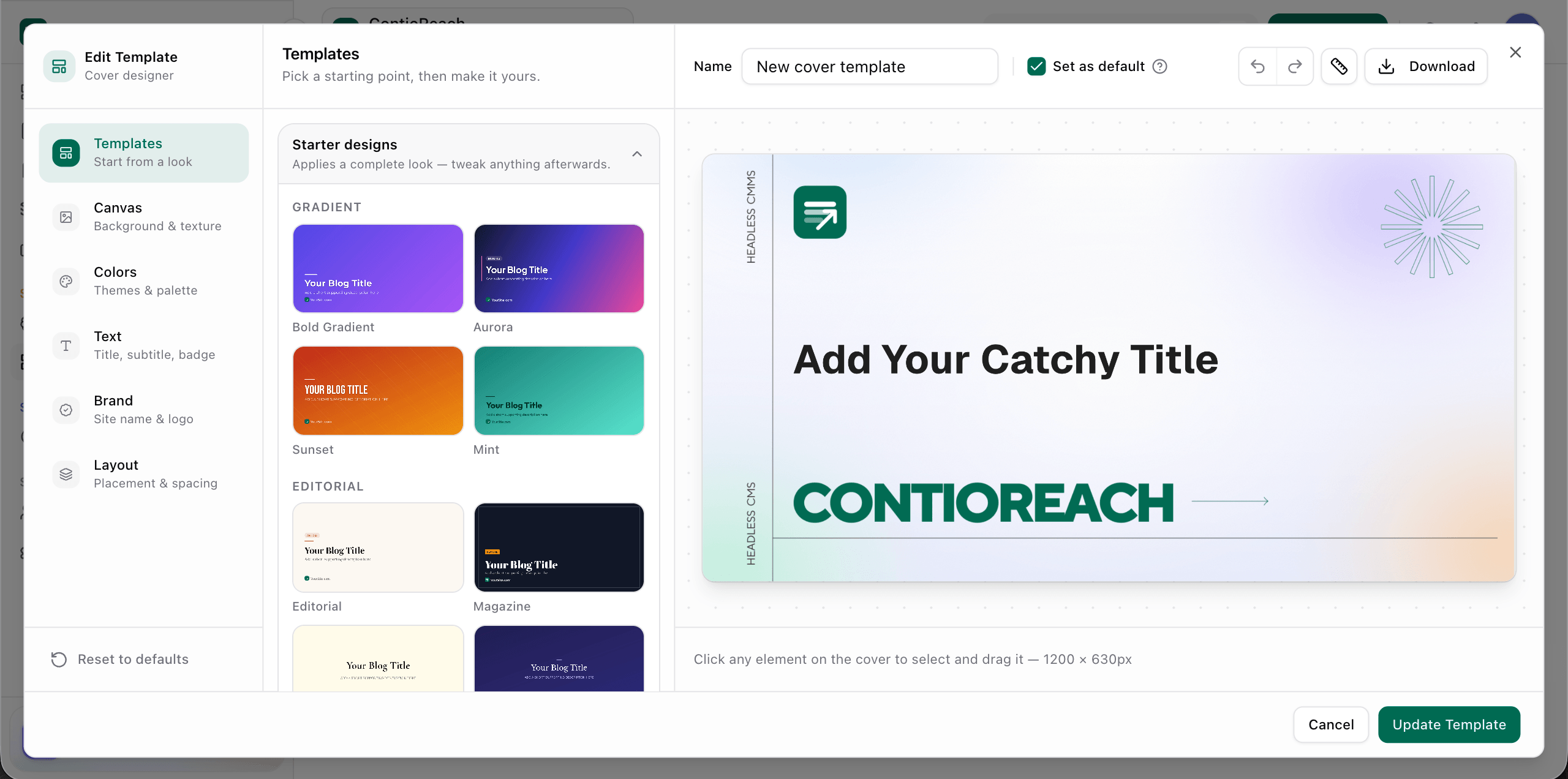
The template editor offers structured starting points grouped by style: Gradient looks (Bold Gradient, Aurora, Sunset, Mint) for a modern SaaS feel, and Editorial and Magazine looks for long-form or technical content. Selecting one applies the full look, including background, typography, and layout, which can then be adjusted panel by panel: Canvas for background and texture, Colors for the palette, Text for title, subtitle, and badge, Brand for the logo and domain handle, and Layout for spacing. Every element on the 1200×630 canvas is click-and-drag, so a marketer can reposition a logo or resize a title without touching code.
4. The cover attaches to the post automatically:
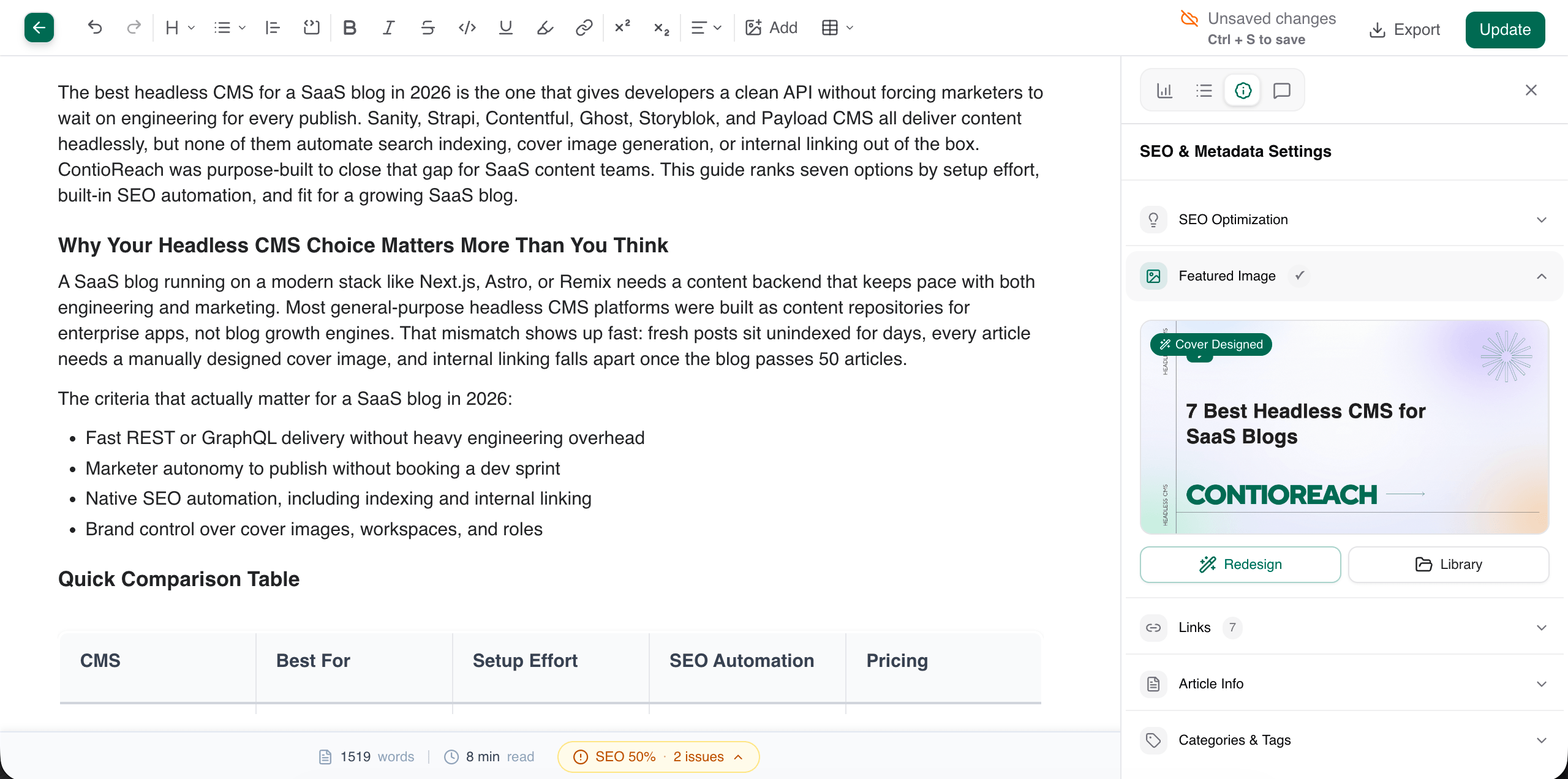
Inside the post editor's SEO & Metadata panel, the Featured Image section shows the generated cover with a "Cover Designed" badge next to the post's actual title, pulled directly from the article being written. From there, a writer can hit Redesign to regenerate it or pull a different image from the Library, without leaving the editor.
5. The image ships through the API:
Once published, the cover URL is included directly in the post's JSON response:
json
{
  "id": "post_89231",
  "title": "7 Best Headless CMS Options for SaaS Blogs",
  "slug": "best-headless-cms-saas-blogs",
  "cover_image": "https://cdn.contioreach.com/covers/post_89231_1200x630.png",
  "metadata": {
    "og_title": "7 Best Headless CMS Options for SaaS Blogs",
    "og_image": "https://cdn.contioreach.com/covers/post_89231_1200x630.png"
  }
}
A Next.js, Astro, or Remix frontend just passes that URL into the page head:
Html
<meta property="og:image" content={post.metadata.og_image} />
<meta name="twitter:image" content={post.metadata.og_image} />
No rendering endpoint to maintain, no font files to load at request time.
Manual Design vs. Custom Code vs. ContioReach
Approach | Setup Time | Ongoing Effort | Who Can Edit | Brand Consistency |
|---|---|---|---|---|
Manual (Canva/Figma) | None | 15–20 min per post | Designers only | Varies by person |
Custom code (Satori/ | Days | Ongoing JSX maintenance | Developers only | Consistent, but rigid |
ContioReach | Under 2 minutes | None (auto-applies to new posts) | Anyone on the team | Brand-matched automatically |
Why This Matters Beyond the Cover Image
A cover image that generates itself is one part of a larger publishing bottleneck. The same friction shows up in Google Search Console indexing and internal linking once a blog scales past a handful of posts, which is why ContioReach treats cover generation as one piece of a full automated publishing workflow rather than a standalone tool. Teams evaluating a headless CMS for a Next.js blog should weigh this kind of post-publish automation alongside API flexibility, since SEO and GEO optimization depends on more than clean data delivery.
FAQ
How do I automatically generate Open Graph images for my blog?
Connect a cover generation tool that reads your brand assets and renders a sized image (1200×630) tied to each post's title, either through a custom rendering pipeline you build and maintain, or a CMS like ContioReach that generates and attaches the cover automatically on publish.
What size should an Open Graph image be?
1200×630 pixels is the standard size most platforms, including LinkedIn, X, and Slack, use to render link previews correctly.
Can I use @vercel/og or Satori to generate cover images?
Yes, but these tools only support a limited subset of CSS and require ongoing maintenance for fonts, layouts, and edits, since any design change requires a code change and redeploy.
Do I need a designer to create on-brand blog covers?
Not if the cover tool reads your brand assets automatically. ContioReach's AI generation step scans your site's logo, colors, and typography and produces on-brand starting templates without design input.
Can non-technical team members edit cover templates?
Yes, in ContioReach the cover editor is fully visual: clicking any element selects and lets you drag or resize it directly on the 1200×630 canvas, with no code required.
Does the cover image update if I change the post title?
In ContioReach, the featured image panel pulls the current post title, and the Redesign option regenerates the cover to match without needing a new template.
Conclusion
Manual cover design wastes writer time, and custom rendering pipelines shift that cost onto engineering instead. A cover engine that reads your brand once and applies it automatically to every new post removes both problems. ContioReach builds this directly into the editor, so a cover is ready the moment a draft is created and ships through the API without a separate rendering service to maintain.
Written by

Team Contioreach
Creates expert content on SEO, AI search, content strategy, and automation to help businesses grow their online visibility.